Flipbook Viewer10.1.1
Publisher Description
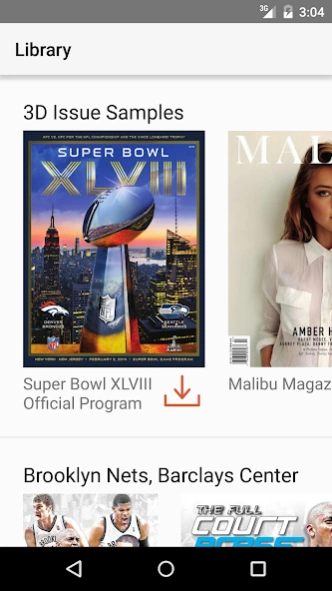
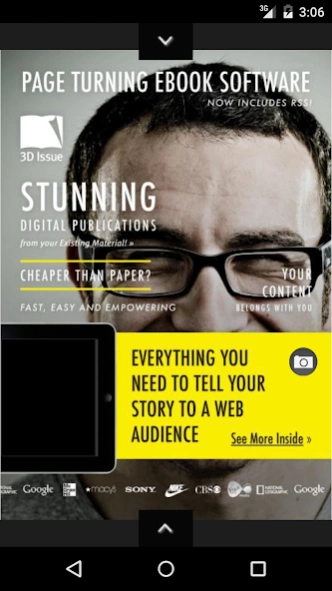
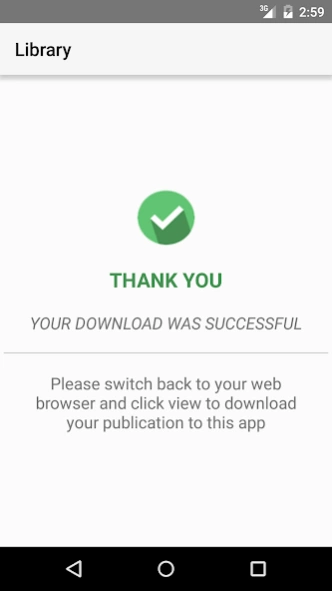

Enjoy reading publications from your Android device
"Flipbook Viewer" allows you to download and read digital publications created with the 3D Issue software (V6 or higher) on your Android device.
With "Flipbook Viewer" you will be able to download digital magazines to the app and view them wherever and whenever suits you best. Once the magazine has been downloaded you don't need an internet connection to read it, so you can download them over Wi-FI and you won't have to worry about your data!
Read your favorite magazines in your phone or tablet and enjoy the audio, video and animations the same way you would in your desktop.
"Flipbook Viewer" provides:
- HTML5 flip magazine view
- Rich media: audio, video (incl. YouTube integration), web and email links
- Download for offline viewing
- Social Network sharing: Facebook Twitter, Google+ and email
- Zoom to a larger view
- Portrait and landscape view
- Search for keywords and phrases
- Change of viewing settings
About Flipbook Viewer
The company that develops Flipbook Viewer is 3D Issue. The latest version released by its developer is 10.1.1. This app was rated by 1 users of our site and has an average rating of 3.0.
To install Flipbook Viewer on your Android device, just click the green Continue To App button above to start the installation process. The app is listed on our website since 2019-09-05 and was downloaded 93 times. We have already checked if the download link is safe, however for your own protection we recommend that you scan the downloaded app with your antivirus. Your antivirus may detect the Flipbook Viewer as malware as malware if the download link to com.dissue.dissuereader is broken.
How to install Flipbook Viewer on your Android device:
- Click on the Continue To App button on our website. This will redirect you to Google Play.
- Once the Flipbook Viewer is shown in the Google Play listing of your Android device, you can start its download and installation. Tap on the Install button located below the search bar and to the right of the app icon.
- A pop-up window with the permissions required by Flipbook Viewer will be shown. Click on Accept to continue the process.
- Flipbook Viewer will be downloaded onto your device, displaying a progress. Once the download completes, the installation will start and you'll get a notification after the installation is finished.
Program Details
System requirements
Download information
Pricing
Version History
version 10.1.1
posted on 2019-09-05
Fixed an issue preventing some contents menus from loading
version 9.1.6
posted on 2018-01-08
Improves support for videos in old publications.
Fixes a crash caused by the search screen.
version 6.2
posted on 2016-08-05
Added Library Search. You can now search across all the issues in your library.,Added support for 3D Issue 8.0 publications.
version 1.1
posted on 2013-05-28
Several fixes and updates
